
You have the master of your single and you want to release it?
You need a reliable online music distributor, such as DistroKid, TuneCore, CD Baby and so on. Here we talk about DistroKid.
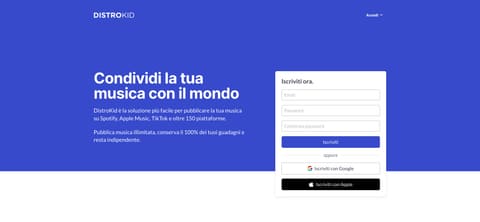
DistroKid is a simple tool that puts your music on more than 150 platforms, including the ones that matter: Spotify, Apple Music, Deezer, Amazon, Instagram, TikTok and Tidal.
In this guide I show you how to release your single with DistroKid in a few steps.
Go to www.distrokid.com and create an account.
Pick a plan. There are three, all with unlimited uploads and 100% of your earnings: Musician releases as soon as it is approved, no custom date; Musician Plus adds a release date of your choice, a custom label name, daily stats and synced lyrics on Apple Music; Ultimate adds advanced analytics and audio replacement after release. For a planned single you need at least Musician Plus. Current prices are on DistroKid's pricing page.
In the "Upload" menu, select "Upload music".
Select the platforms you want to distribute to. If you do not want YouTube to publish an automatic video with your track, untick YouTube Music.
Fill in title, artist, genre and all the required information.
Add the names of any co-writers or featured artists.
Upload an original cover image: jpg, square, ideally 3000x3000 pixels (1000x1000 minimum), RGB. No web addresses, QR codes, social or platform logos, prices, unlicensed stock photos, blurry images, and do not reuse the cover of another release: the platforms reject them.
Upload the master file, ideally 24 bit wav.
Once approved, your single is sent to the platforms you selected. If you did not choose a release date, it may take a few days before it shows up everywhere.
Tick the mandatory boxes at the bottom of the page and you are done!
From the Dashboard you can open your single's page and add more details: split royalties with collaborators, add lyrics, credits and other metadata.
Use the HyperFollow link (the launch page with links to every platform) to share your single on social media.
TIPS
If your plan allows it, upload your single at least two weeks before the release date. A month is better. That way the track shows up in time in Spotify for Artists, under upcoming releases, and you can submit it to the official playlist curators with "Pitch a song": it must be done at least 7 days before release, but earlier is better. Even if it does not land on an editorial playlist, the pitch gets it into your followers' Release Radar.
Fill in all the metadata you can.
Take care of your artist page on Spotify for Artists.
Publish synced lyrics. Spotify gets its lyrics from Musixmatch: you can upload and sync them directly on Musixmatch, or from your single's page on DistroKid. Either way, after release check that they show up on Spotify and are synced properly.
Upload a high quality cover. Do not zoom into images, unless it is a deliberate stylistic choice.
Of course, releasing your music is not enough to get it heard. Set aside a budget to promote it on social media, and share it with everyone!
Topics
- Amazon Music
- Apple Music
- DistroKid
- Spotify
- TikTok
- how to distribute music
- how to put music on Spotify
- music distribution
- release